


The problem
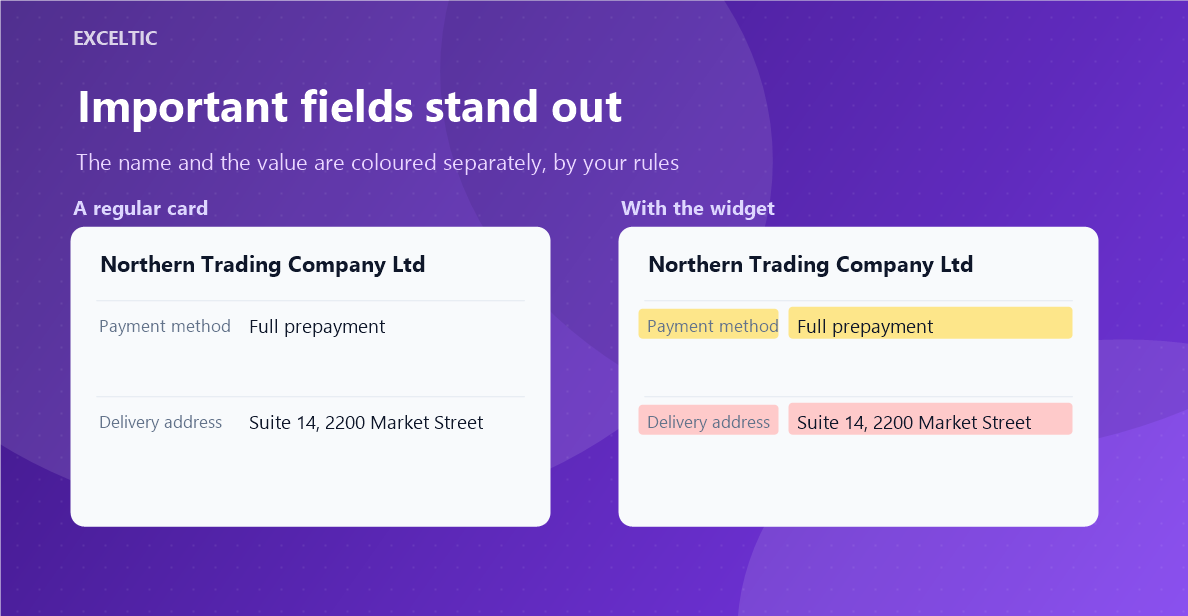
A lead card holds two dozen fields and every one of them looks the same. An overdue payment is set in the same grey as a delivery note, and an empty required phone number looks exactly like a filled one. Your rep reads the card top to bottom every time it opens and still misses what matters right now.
What the widget does
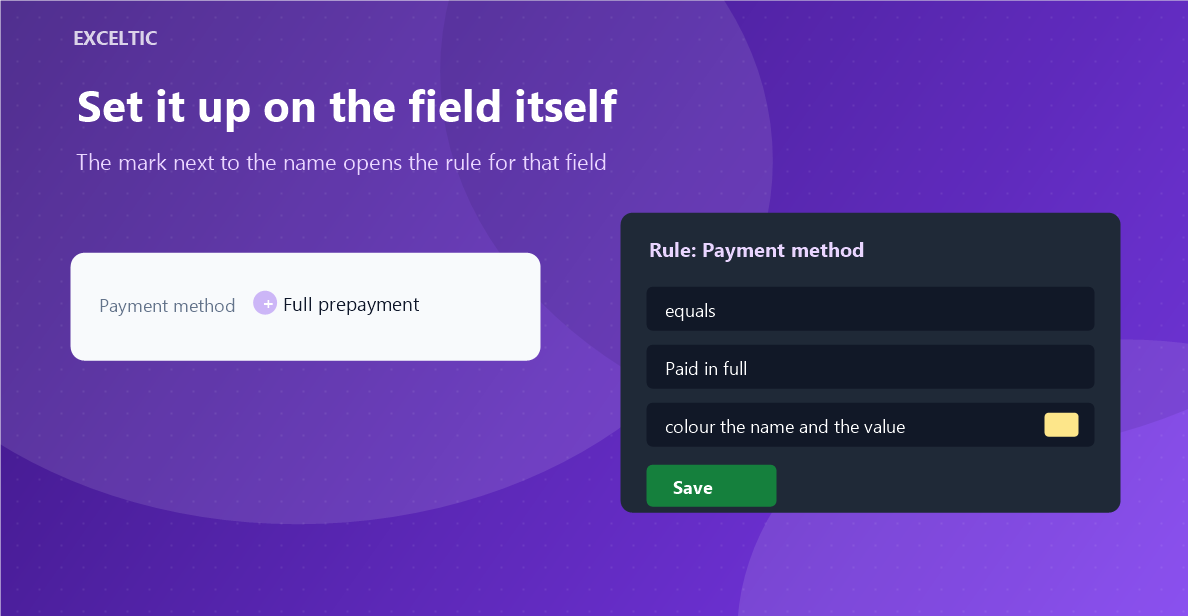
The widget colours the background of a field name and its value by a condition you set. An empty phone turns red on its own, cash on delivery stands out in amber, the client type you care about goes green. A rule is created on the card itself: hover a field, click the mark next to its name, pick a condition and a colour. There is deliberately no rules table - the rule lives where it applies.
What you get
- Conditions: empty, filled, contains, equals, more than, less than
- More and less work on numbers: an amount, a quantity, a number inside text
- Colour the name, the value, or both
- A colour of its own for every rule, picked from a colour picker
- Works on system fields too: company, responsible user
- Rules are shared across the account; an admin sets them, everyone sees the result
Where it works
- Lead card
- Contact card
- Company card
How to install
- In your Kommo account open Settings, then the Integrations section.
- Find the widget by name and click Install.
- In the window that opens press the green Enable button. Until it is pressed Kommo does not attach the widget to the account pages.
- That is it. The same button later reads Save: press it after every change in the settings.
Works in Kommo and in amoCRM.
Frequently asked questions
Is there anything to configure after installing?
No. Once installed, hover any field on a card and a mark appears next to its name. Click it, pick a condition and a colour, save. The rule applies right away and for everyone in the account.
Who can change the rules?
Only an account admin. The right is checked by our server against Kommo, not by the browser, so it cannot be faked from the page. Everyone else never sees the mark - only the colouring.
How many rules can one field have?
One. That way the rule and the field read together and nobody has to keep a matching order in their head. If a field has to change colour by several conditions at once, write to us and we will look at the case.
Does the widget change data in the CRM?
No. It never writes to fields and never edits cards. It only colours what is already on screen, and the card returns to its usual look once the widget is switched off.