

The problem
Your rep works the quote out on a phone calculator and copies the number into the card by hand. They slip in a hurry, forget to recalculate after the client changes their mind, and pull the discount out of thin air. A month later the report holds numbers nobody can explain, and the pricing lives in one person head.
What the widget does
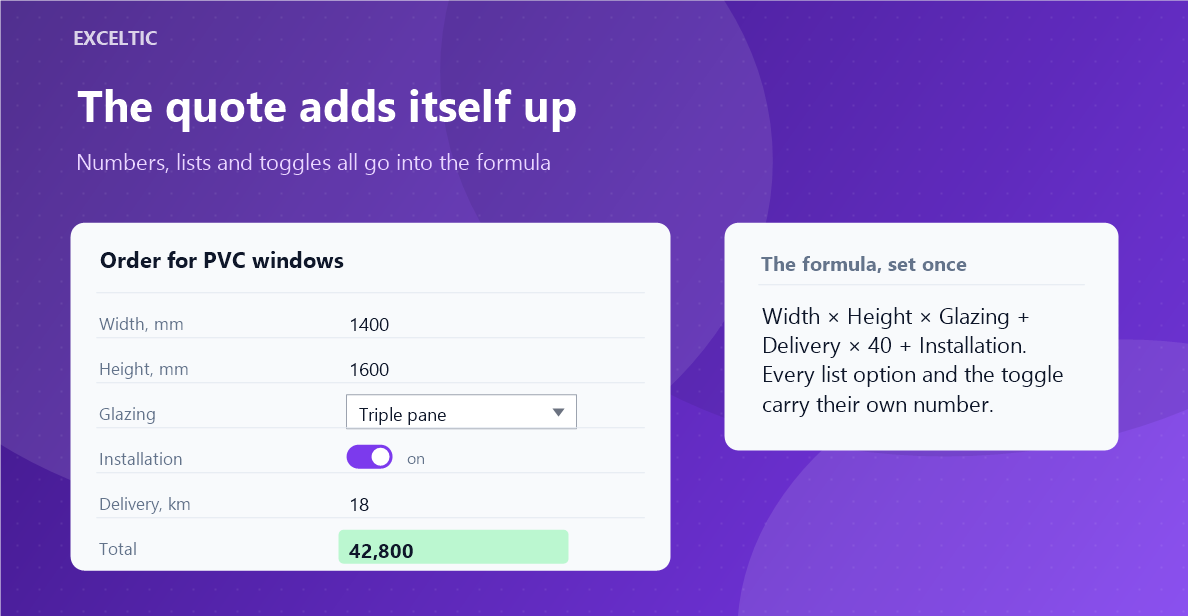
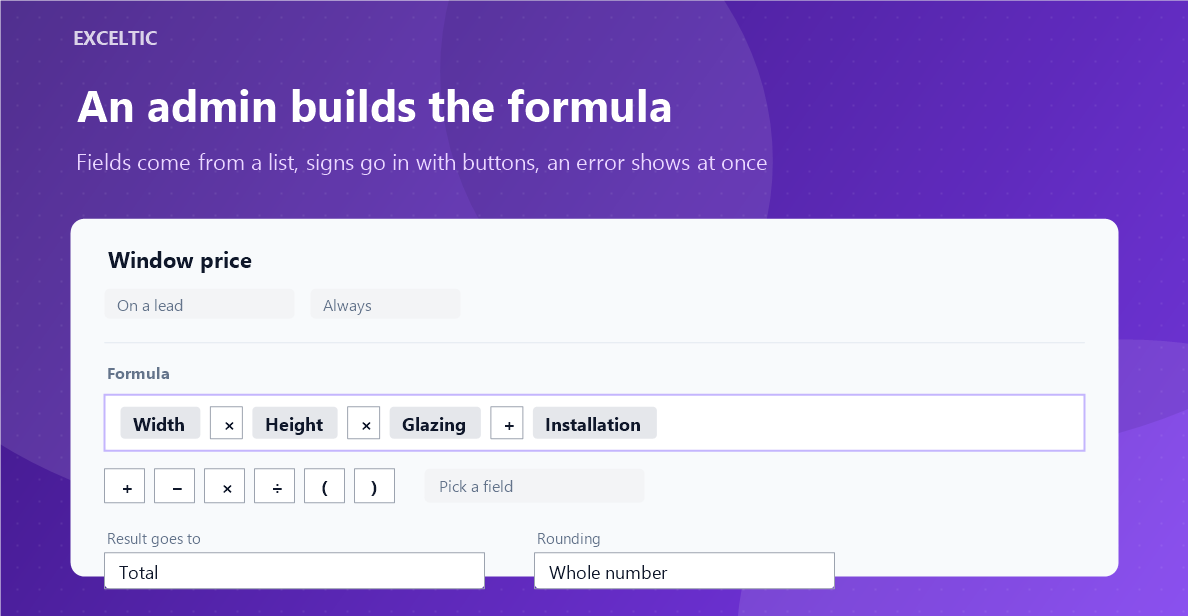
The widget works the value out from the card fields and puts the result into the field you choose. An admin builds the formula once: fields come from a list, signs go in with buttons, an error shows at once. Numbers, lists and toggles all count - a list option carries its own price, so does a toggle that is switched on.
What you get
- A formula of card fields, numbers, brackets and plus, minus, times, divide
- Every list option gets its own number: triple glazing is one price, single another
- A toggle carries two numbers: one for on and one for off
- An empty field does not break the sum: you set what it counts as
- Rounding to a whole number, to two decimals or to hundreds
- A run condition: always, or only when another field holds the value you name
- Try the formula on a real lead before your reps ever see it
- Formulas are set by an admin, everyone else just gets the result
Where it works
- Lead card
- Contact card
- Company card
How to install
- In your Kommo account open Settings, then the Integrations section.
- Find the widget by name and click Install.
- In the window that opens press the green Enable button. Until it is pressed Kommo does not attach the widget to the account pages.
- That is it. The same button later reads Save: press it after every change in the settings.
Works in Kommo and in amoCRM.
Frequently asked questions
Do I need to know how to code?
No. Fields are picked from a list and drop into the formula ready made, signs go in with buttons. A JavaScript formula, the way some competitors do it, is deliberately impossible here: foreign code on a card is a security hole.
How do I count a list whose options are not numbers?
Put the field into the formula and click it - a window opens where every option gets its own number. For a surcharge that is an amount; for a multiplier it is a factor, say 1.2 on one option and 1 on the rest.
What happens when a field is empty?
You decide: every field gets a number to count as when it is empty. A multiplier usually takes one, a surcharge takes zero. While no field of the formula is filled in, the widget writes nothing into the result field.
Will it overwrite what a rep typed by hand?
In the result field, yes - that is what the field is for. Every other field is only read. The value lands on the card as an ordinary edit and is stored by the Kommo save button, so nothing reaches the database behind anyone back.