

The problem
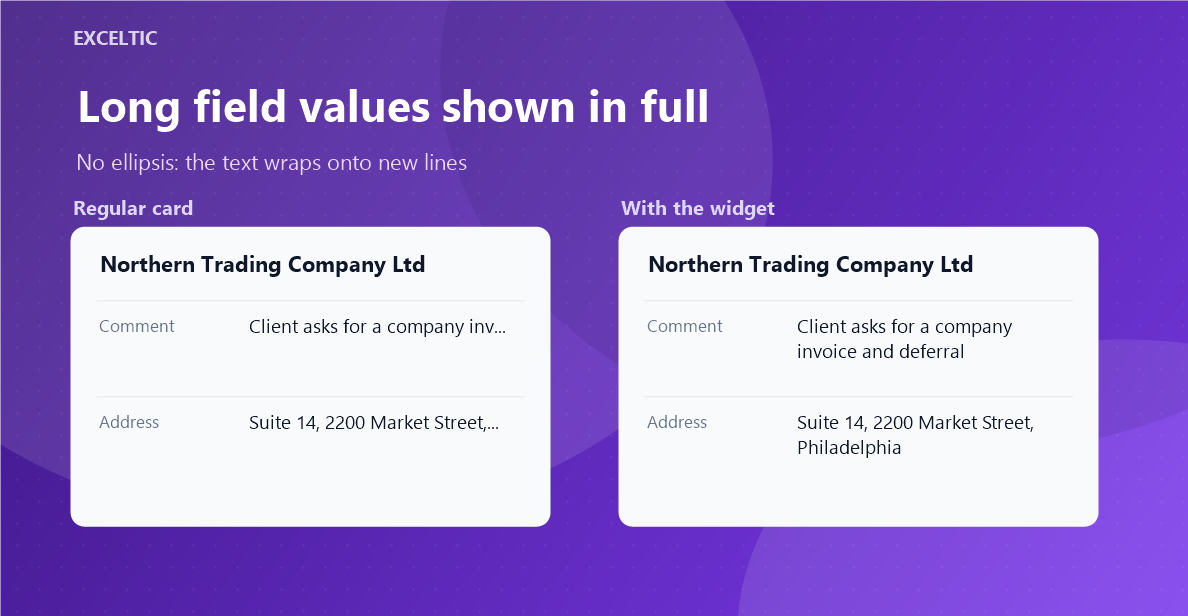
Kommo truncates long text with an ellipsis - in lists, on the kanban board and in table headers. Lead names, addresses, comments, custom field labels: anything that does not fit the column turns into "Equipment supply agreement for…". To read the value in full, a rep has to open the card. Across a hundred leads a day that is dozens of extra clicks and lost context when scanning the pipeline.
What the widget does
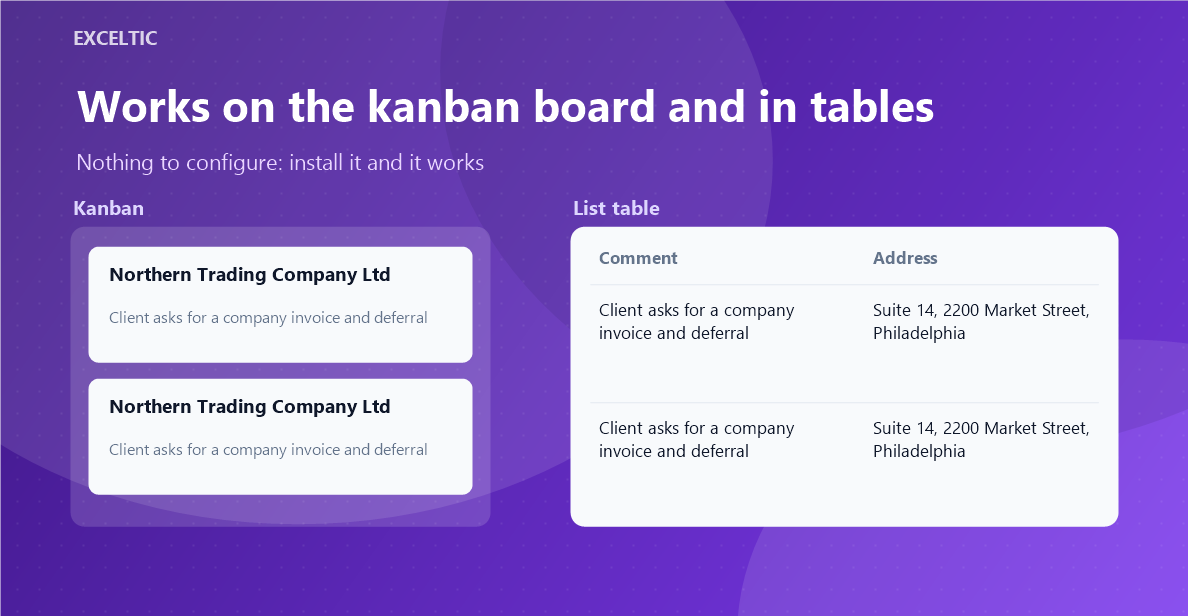
The widget removes the truncation and wraps long text onto new lines. Kanban cards and table rows grow to fit their content without overlapping. Native behaviour stays intact: dragging cards between stages, sorting and column resizing keep working as before.
What you get
- Custom field values shown in full
- Field names in the table header wrap too, instead of being cut off
- Full names of leads, contacts and companies
- Stage names wrap inside their coloured label
- Nothing to configure: it works right after installation
Where it works
- Kanban - the leads pipeline
- Table list view
- Leads, contacts, companies, customers, tasks
How to install
- In your Kommo account open Settings, then the Integrations section.
- Find the widget by name and click Install.
- In the window that opens press the green Enable button. Until it is pressed Kommo does not attach the widget to the account pages.
- That is it. The same button later reads Save: press it after every change in the settings.
Works in Kommo and in amoCRM.
Frequently asked questions
Does it need any setup after installation?
No. The widget has no settings - it starts working as soon as it is installed in the account.
Will drag-and-drop on the pipeline break?
No. The widget only changes text wrapping and lets containers grow to fit their content. Dragging cards, sorting lists and resizing columns keep working natively.
Where does the widget work?
On the kanban board and in the table list view: leads, contacts, companies, customers and tasks. Inside an entity card the text is already shown in full, so the widget is not needed there.
Which languages are supported?
The widget interface is translated into English, Spanish and Russian. The language follows the Kommo account language automatically.