

The problem
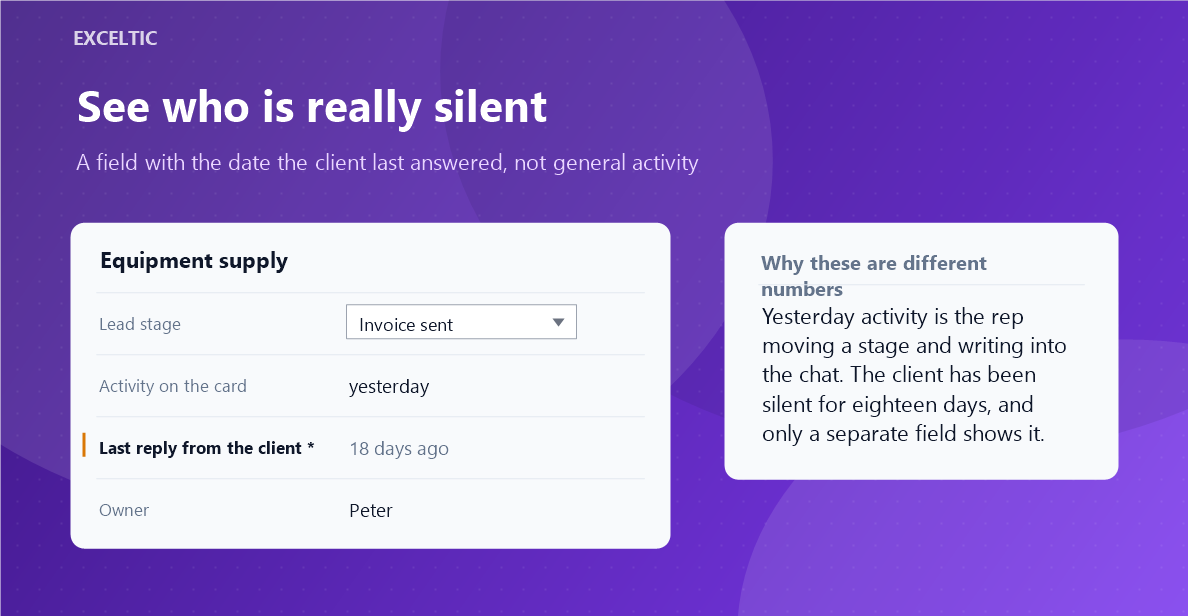
Card activity counts everything: a stage change, a rep note, your own mailing that nobody answered. It cannot tell a lead where the client replies from one where they have been silent for three weeks. A manager sees a fresh date and assumes the deal is moving, while it has been standing for a month.
What the widget does
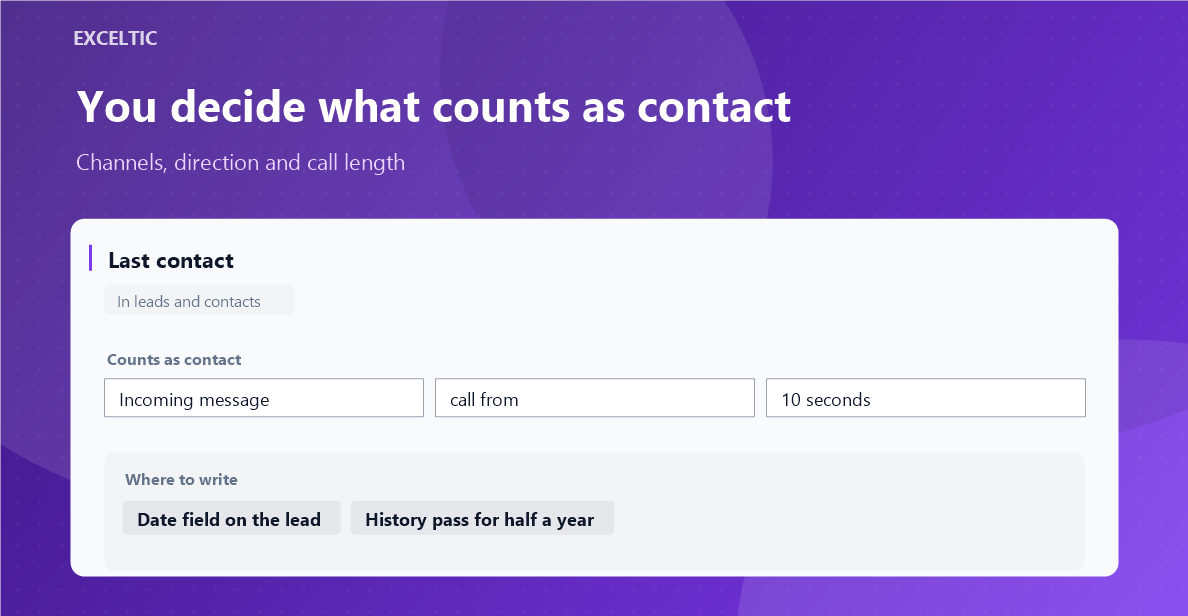
The widget keeps a separate field on the card: the date of the last real contact. Only a move by the client and a conversation that actually happened are counted. What counts as contact is up to you: incoming messages and emails, calls with a minimum talk length, and outgoing messages if that is how your team works. The date goes into your own date field, and the widget page lists who is silent the longest.
What you get
- An incoming chat message, email or SMS marks the date
- Calls with a minimum talk length: a no-answer is not a conversation
- Outgoing messages can be counted too, if that is how your team works
- The date is written into a field on the lead card and, if you want, the contact
- The field can be picked from existing ones or created from the widget
- A history pass over 3, 6 or 12 months for the data you already have
- Runs on our server, no browser has to stay open
Where it works
- Lead card
- The widget page: who is silent the longest, split by rep and channel
- The widget page: fields, channels and the history pass
How to install
- In your Kommo account open Settings, then the Integrations section.
- Find the widget by name and click Install.
- In the window that opens press the green Enable button. Until it is pressed Kommo does not attach the widget to the account pages.
- That is it. The same button later reads Save: press it after every change in the settings.
Frequently asked questions
How is this different from built-in activity?
Built-in activity counts any movement on the card, including what the rep did. Here only a move by the client and a conversation that happened are counted.
Why a minimum talk length for calls?
So that a five-second no-answer is not counted as a conversation. Zero means any call and costs no extra CRM requests.
What about the leads already in the base?
There is a history pass for them: the widget walks the events of three, six or twelve months and fills the field. It runs in the background, is visible and can be stopped.
Can the date be edited by hand?
No. The widget creates the field and marks it as editable through the API only, so the report cannot be touched up by hand. Who has been silent the longest is shown on the widget page, split by rep and channel.