

The problem
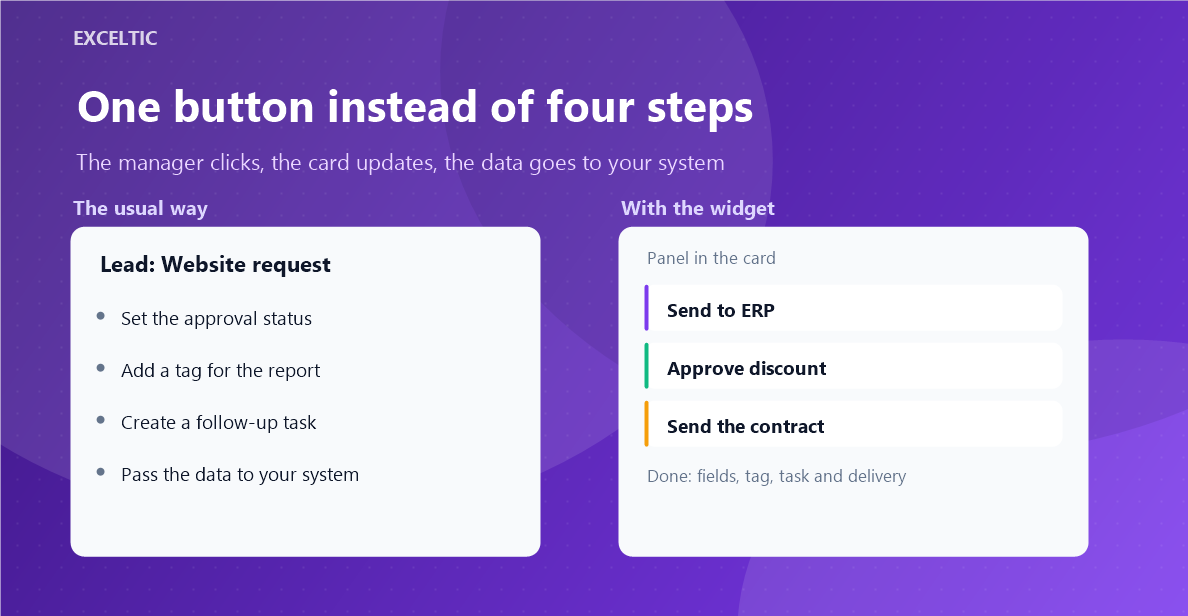
A rep repeats the same steps ten times a day by hand: set a status, add a tag, copy data into another system, create a task. Each one is small, together they eat an hour a day and are done differently every time: one added the tag, another forgot, a third sent the order to production with the previous field values.
What the widget does
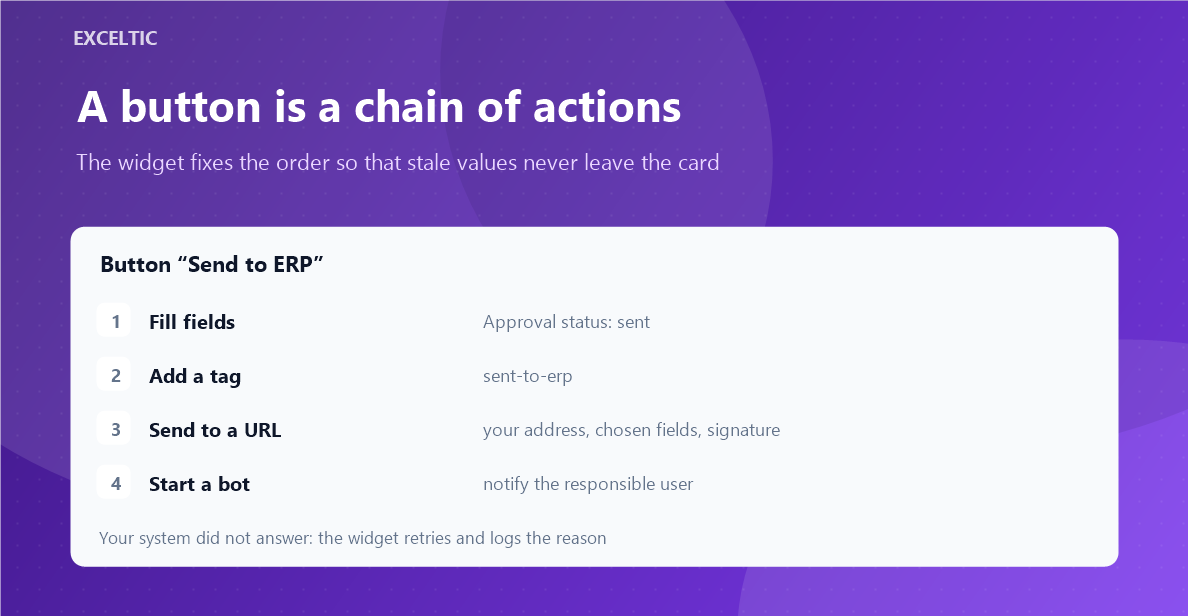
The widget turns the routine into one button on the card. A button is a chain of actions: run a Salesbot, post data to your endpoint, fill or clear fields, add and remove tags, create a task, copy text, open a link. Up to ten actions per button, and the widget keeps the order so that stale values never leave the account.
What you get
- Up to ten actions on one button, ordered by the widget
- Buttons are grouped, each with its own colour
- Conditions by entity, pipeline, stage and user
- A confirmation before the run and required fields before the click
- The webhook is signed and retried, the request body is previewed first
- A journal of runs: who, when, what happened and what your server answered
Where it works
- Lead card
- Contact card
- Company card
How to install
- In your Kommo account open Settings, then the Integrations section.
- Find the widget by name and click Install.
- In the window that opens press the green Enable button. Until it is pressed Kommo does not attach the widget to the account pages.
- That is it. The same button later reads Save: press it after every change in the settings.
Works in Kommo and in amoCRM.
Frequently asked questions
Who can set the buttons up?
Only account admins. The right is verified by our server against Kommo data, not by the browser.
What is sent to my endpoint and how do I verify the signature?
You build the body yourself from card fields and preview it in the settings. The body signature comes in the X-Exceltic-Signature header, and the secret is visible to an admin in the button settings.
What happens if one action in the chain fails?
Your call: the chain either stops at the first error or carries on. The person sees the outcome right away, the details go to the journal.
Does the widget store card data?
No. The journal keeps metadata only: the button, the action, the time and the response code. Request bodies are not stored.