


The problem
A lead moves down the pipeline with no amount, no payment method and no address. It surfaces later at accounting, at the warehouse or in a report, and someone goes back to the client for what the rep could have asked in the first call. Kommo own required fields are not on every plan and go by stage only: there is no way to say "this field matters only when the lead is lost".
What the widget does
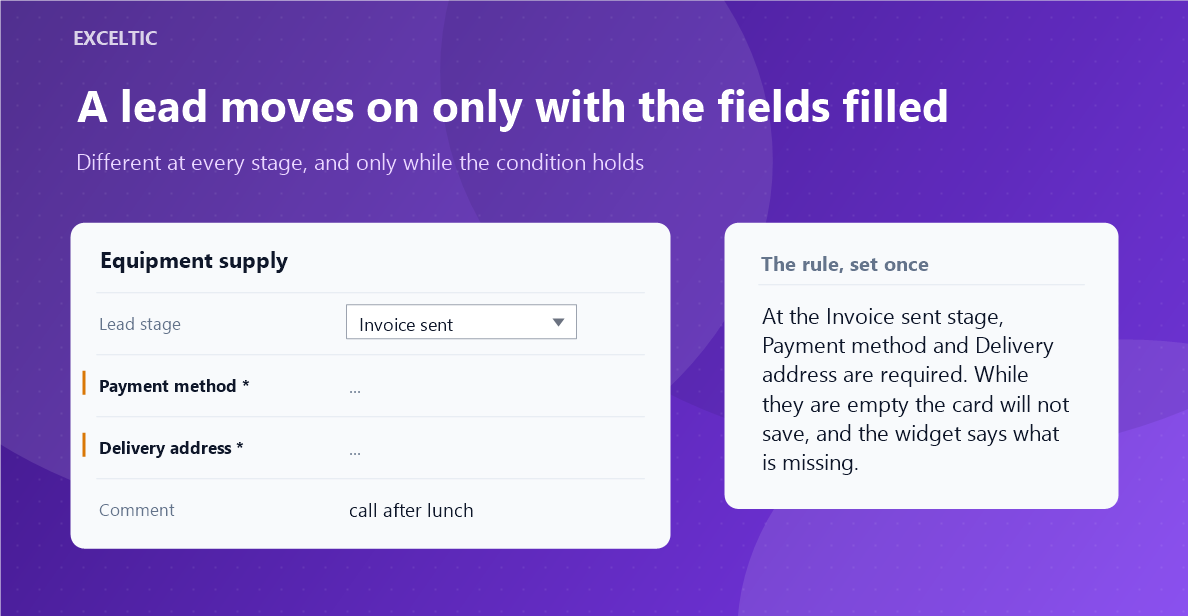
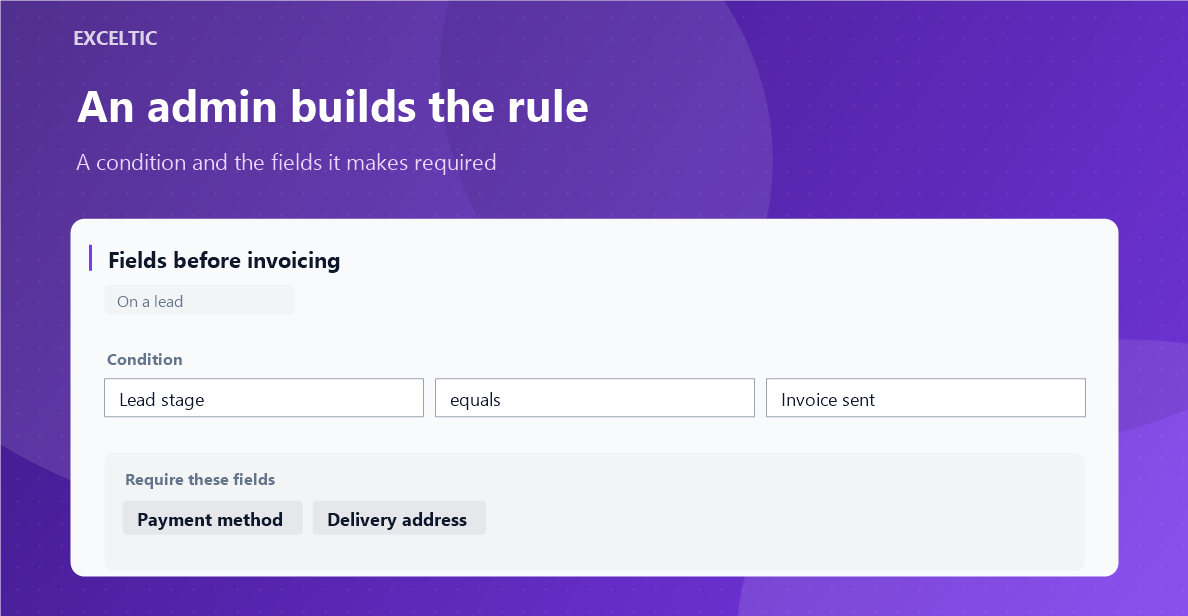
A rule says when a field is required: at this stage, or when another field has this value. While the condition holds the field carries an asterisk, and an empty one also gets a stripe. The card will not save while it is empty, and the widget names the reason for every rule. Once the condition is gone the field is ordinary again.
What you get
- The condition is a lead stage or the value of any other field. "Reason for loss is required only when the status is lost" takes a minute to set up.
- The requirement lasts exactly as long as the condition, not to the end of the pipeline.
- Contact and company fields are required right on the lead card, where the rep actually works.
- What is missing shows before the Save button, not after it.
- The blocking message gives the reason, not just a list of field names.
- As many rules as you need, each saved on its own.
Where it works
- Lead card
- Contact card
- Company card
How to install
- In your Kommo account open Settings, then the Integrations section.
- Find the widget by name and click Install.
- In the window that opens press the green Enable button. Until it is pressed Kommo does not attach the widget to the account pages.
- That is it. The same button later reads Save: press it after every change in the settings.
Works in Kommo and in amoCRM.
Frequently asked questions
How is this different from Kommo own required fields?
The built-in setting is not on every plan and is tied to a stage. Here the condition can be the value of any field, and the requirement lasts exactly as long as that condition.
What if a field is hidden from the user or sits on another tab?
The widget only asks for what is on the screen. An invisible field never blocks saving: blocking over something a person cannot see reads as a broken widget.
Does it block dragging a card in the pipeline?
No, the widget works on the card. Dragging in the kanban is a separate job and it is on the plan.
Who sets up the rules?
The account administrator. Everyone else sees the marks and the block, but cannot change the rules.
What if a rep changed the stage and has not saved the card yet?
The widget goes by the saved stage. As soon as the card is saved, the rules are recalculated.