

The problem
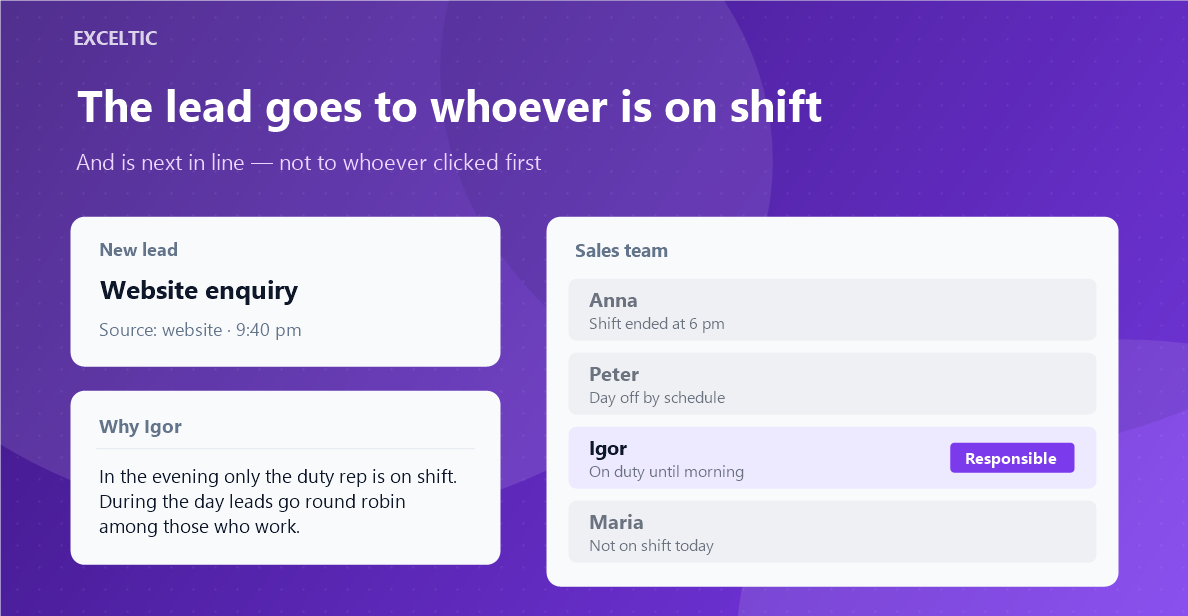
A lead goes to whoever opened it first, not to whoever is next in line. Requests that arrive at night or on a weekend hang until morning, one rep holds twenty leads while the next one holds five, and there is no way to reconstruct afterwards how that happened.
What the widget does
A new lead reaches the right rep by itself, by your rules and your schedule. A rule answers one question: who gets the leads. You pick the people and the algorithm - round robin, by load over the week or by share of the flow - and narrow it by pipelines, sources and tags. The widget runs on our server, so no browser has to stay open.
What you get
- Round robin, weekly load or share of the flow
- Rules are read top down, with conditions by pipeline, source and tags
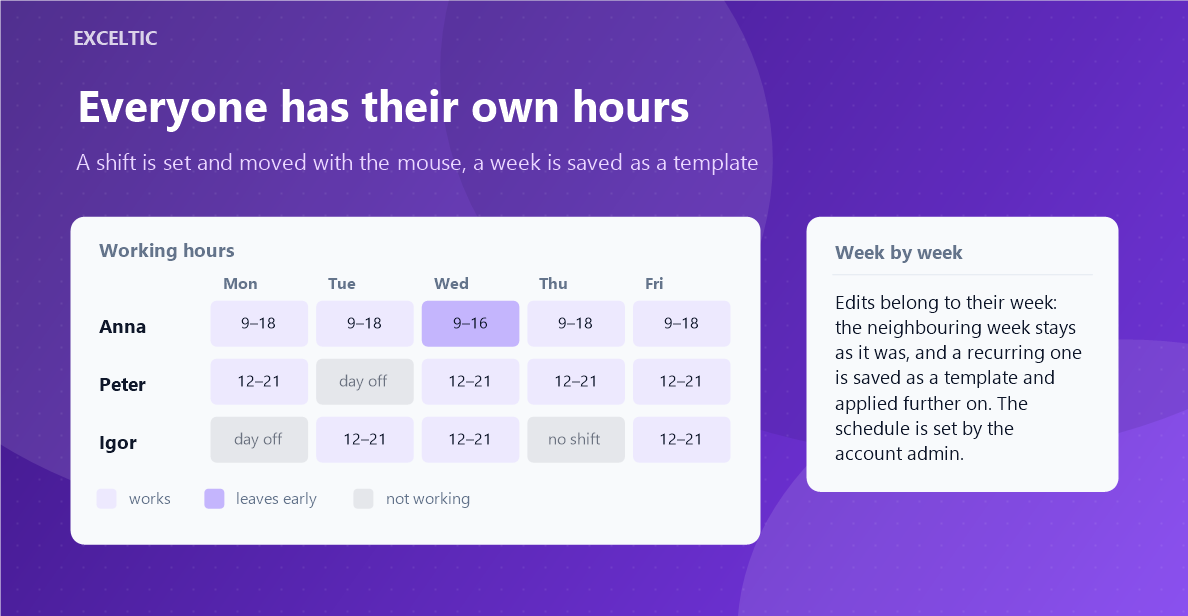
- A shift schedule: a shift starts with a click on an hour and moves with the mouse
- A week can be saved as a template and repeated
- With nobody on shift: the lead waits, goes to a duty rep or stays as it is
- The contact and the company from the same request get the same rep
- A journal of assignments with the reason for each lead
Where it works
- Lead card: the rep sees their shift and the start and end marks
- Lead list
- The widget page: rules, schedule and journal
How to install
- In your Kommo account open Settings, then the Integrations section.
- Find the widget by name and click Install.
- In the window that opens press the green Enable button. Until it is pressed Kommo does not attach the widget to the account pages.
- That is it. The same button later reads Save: press it after every change in the settings.
Works in Kommo and in amoCRM.
Frequently asked questions
What happens to a lead at night when nobody is on shift?
Your call: it waits until a shift opens, goes to a duty rep, or stays with whoever the CRM assigned.
Does a browser have to stay open?
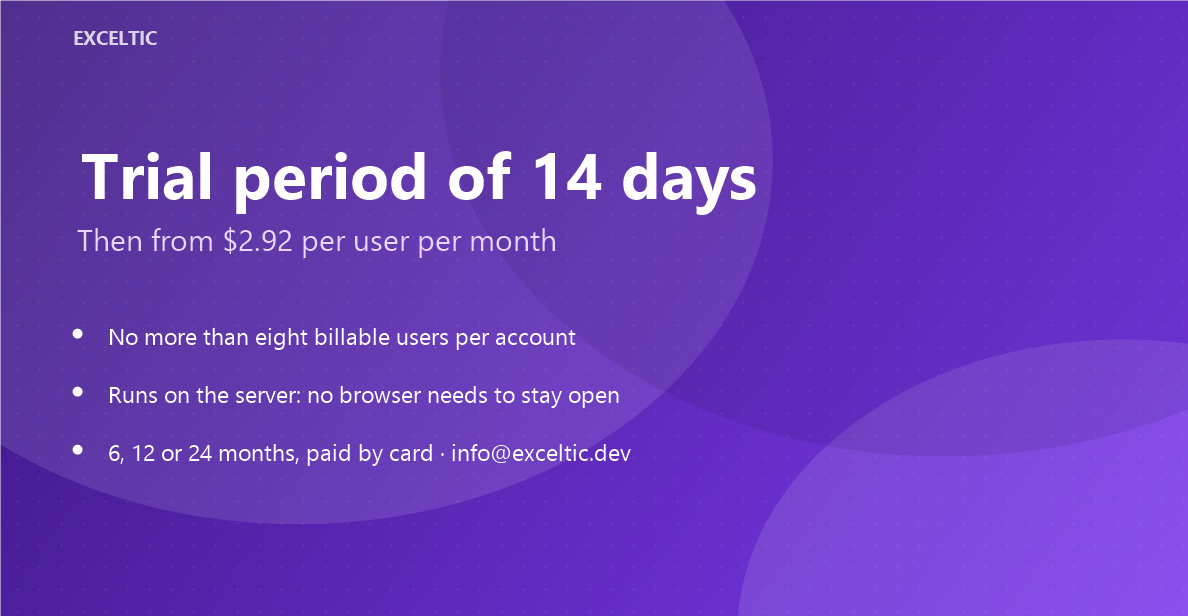
No. Routing happens on our server, at night and on weekends just like during the day.
How do I know why a lead went to that rep?
Every assignment goes into the journal with its reason: whose turn it was, which rule fired and who was on shift.
Are holidays and sick days taken into account?
Yes, through the schedule: remove the shifts for those days and the person drops out of the rotation until they come back.